Nginx vs Caddy: we load-tested both reverse proxies
By Nihar Ranjan Das · Wed Nov 04 2026 · 10 min read · 0 views
View as a Web StorySoftware#devops#nginx#caddy#reverse proxy#https
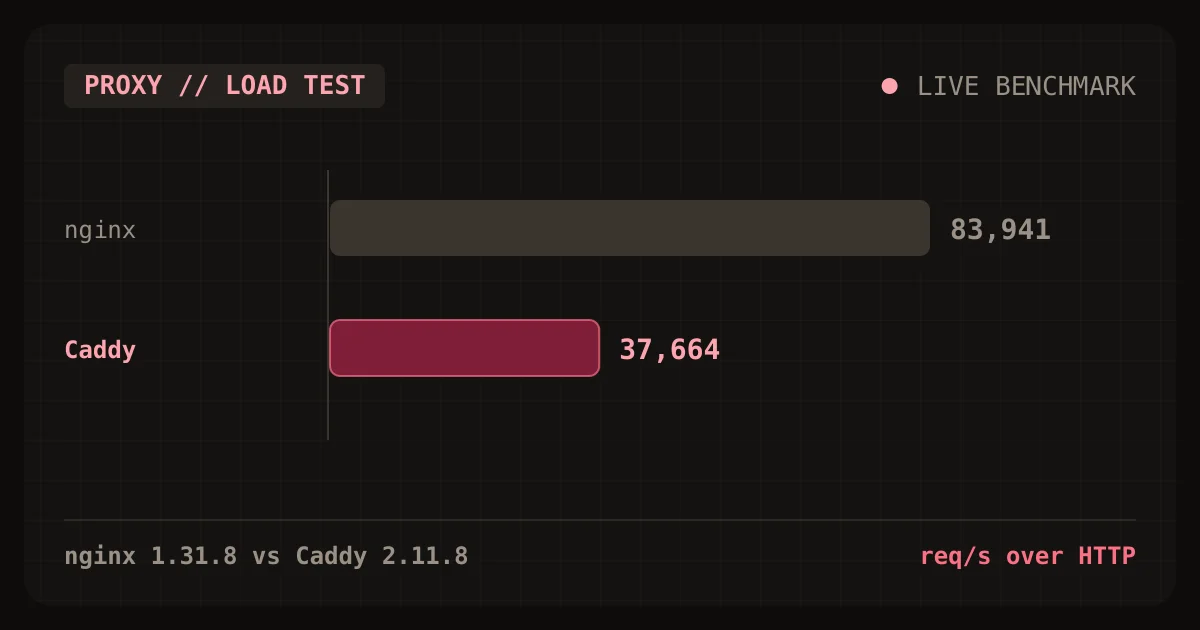
Short answer: pick Caddy if you run one to ten sites and want HTTPS without a certificate script. Pick nginx if you push tens of thousands of requests per second through one box, or you already own a tuned nginx config. In our loopback test on an Apple M2, nginx served 83,941 requests per second over HTTP and Caddy served 37,664. Both numbers sit far above what a typical app server can feed them.
That gap is real. It also rarely decides anything. This post shows the measurements, the memory cost, the config you would actually write, and the point where each tool starts to hurt.
Which one should you pick for a reverse proxy?
Choose Caddy when the proxy's main job is terminating TLS in front of one or a few app servers. Choose nginx when raw throughput, a huge module ecosystem or an existing configuration matters more than setup time.
| Your situation | Pick | Why |
|---|---|---|
| New VPS, one to ten domains | Caddy | Certificates are issued and renewed with no extra tool |
| Node, Python or Rails app doing under 5,000 requests per second | Caddy | The proxy will not be the bottleneck |
| Static files or cache serving at very high volume | nginx | About 2.2x the throughput in our HTTP test |
| Memory-limited container, under 64 MB | nginx | 10 MB idle versus 38 MB idle in our run |
| Team already runs nginx with tuned configs | nginx | A rewrite buys nothing |
| You need HTTP/3 with no build flags | Caddy | Enabled by default for HTTPS sites, per third-party guides |
What are nginx and Caddy?
nginx is a web server and reverse proxy written in C. It uses a small set of worker processes, each running an event loop that handles thousands of connections. Its mainline branch was at version 1.31.8 when we tested.
Caddy is a web server and reverse proxy written in Go. It ships as one static binary and obtains TLS certificates on its own. Its release was 2.11.8 when we tested.
A reverse proxy is a server that accepts client requests and forwards them to one or more backend servers. It terminates TLS, spreads load and hides the backends from the internet.
How did we test them?
We put both proxies in front of the same Node.js upstream on one machine and drove them with ApacheBench. The upstream returns a 20-item JSON body of about 600 bytes. The test ran on an Apple M2 under macOS, with the load generator, proxy and upstream all on loopback.
Here is the exact setup:
| Item | Setting |
|---|---|
| Hardware | Apple M2, macOS, everything on 127.0.0.1 |
| nginx | 1.31.8, worker_processes auto, keepalive pool of 64 to the upstream, access log off |
| Caddy | 2.11.8, defaults, auto_https off and admin off so only proxying is measured |
| Load tool | ab -k -n 100000 -c 50, three runs per target |
| TLS | One self-signed RSA 2048 certificate, loaded by both servers |
| Upstream | Single Node.js http server returning the JSON body |
One caveat applies to every number below. The load generator shares the CPU with both the proxy and the upstream. Treat the ratios as meaningful and the absolute values as specific to this laptop.
How fast is nginx compared with Caddy?
nginx handled 83,941 requests per second over HTTP and 64,624 over HTTPS, using the median of three runs. Caddy handled 37,664 over HTTP and 38,401 over HTTPS. A direct connection to the Node upstream managed 81,702.
Advertisement
| Target | Run 1 | Run 2 | Run 3 | Median |
|---|---|---|---|---|
| nginx, HTTP | 43,095 | 83,941 | 85,479 | 83,941 |
| Caddy, HTTP | 36,223 | 37,664 | 46,203 | 37,664 |
| nginx, HTTPS | 60,410 | 64,989 | 64,624 | 64,624 |
| Caddy, HTTPS | 38,536 | 36,261 | 38,401 | 38,401 |
| Upstream, direct | 81,702 | 81,702 |
The first nginx HTTP run was low at 43,095, which looks like warm-up. Caddy's best HTTP run reached 46,203. Neither proxy was anywhere near the cost of the upstream itself.
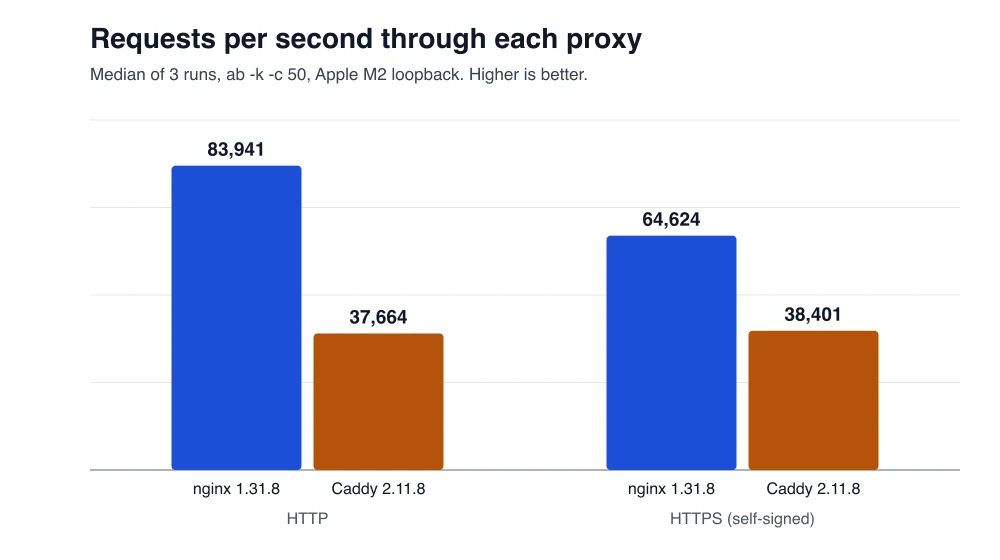
nginx led by 2.2x over HTTP and 1.7x over HTTPS in this run. Latency stayed at 1 ms for the median on both proxies. The 99th percentile was 1 to 3 ms on nginx and 3 to 5 ms on Caddy.
A published benchmark found a narrower gap. The privatedevops comparison measured about 48,000 requests per second for nginx against 42,000 for Caddy over HTTP on a 4-core VM, according to its wrk results. Our gap is wider because the Node upstream, load tool and proxy fight over eight cores on one laptop. Run your own test before you trust either figure.
How much memory does each one use?
Idle, nginx used 10.3 MB of resident memory and Caddy used 38.0 MB. After the load runs, nginx reached 44.1 MB across its worker processes and Caddy reached 57.0 MB.
| State | nginx 1.31.8 | Caddy 2.11.8 |
|---|---|---|
| Idle, summed RSS | 10.3 MB | 38.0 MB |
| After 600,000 requests | 44.1 MB | 57.0 MB |
Absolute values differ by platform, so measure on your own host.
Memory matters on a 512 MB droplet. It does not matter on a 4 GB server running a database.
What does the config look like?
A production Caddy config for one site is three lines. The same site in nginx needs a server block, TLS paths, proxy headers and a separate certificate tool.
Caddy, with HTTPS included:
example.com {
    reverse_proxy 127.0.0.1:3000
}
nginx, with certificates obtained earlier by Certbot:
server {
    listen 443 ssl;
    server_name example.com;
    ssl_certificate     /etc/letsencrypt/live/example.com/fullchain.pem;
    ssl_certificate_key /etc/letsencrypt/live/example.com/privkey.pem;

    location / {
        proxy_pass http://127.0.0.1:3000;
        proxy_set_header Host $host;
        proxy_set_header X-Forwarded-For $remote_addr;
        proxy_set_header X-Forwarded-Proto $scheme;
    }
}
server {
    listen 80;
    server_name example.com;
    return 301 https://$host$request_uri;
}
Our benchmark configs were 15 lines for nginx and 11 for Caddy, and those included the benchmark-only settings. The production snippets above are typical shapes, not files we load-tested.
WebSockets show the same split. nginx needs proxy_set_header Upgrade $http_upgrade; and a Connection "upgrade" header on the location. Caddy's reverse_proxy directive handles WebSocket upgrades with no extra lines.
How does automatic HTTPS work in Caddy?
Caddy provisions TLS certificates for every site in its config and renews them without a separate tool. Its official docs name Let's Encrypt and ZeroSSL as the default certificate authorities, according to the automatic HTTPS page.
Two conditions apply. The domain must resolve to the server, and the server must be reachable from the internet on the ACME challenge ports. Behind a corporate firewall or a private network, you switch to the DNS challenge or an internal CA. That needs a plugin build for most DNS providers.
Test against the Let's Encrypt staging endpoint first. The production endpoint rate-limits repeated failures, and a broken config in a restart loop can hit those limits.
nginx has no built-in issuance. You run Certbot or another ACME client, add a renewal timer and reload nginx after each renewal. That is not hard. It is one more moving part you must monitor.
What about HTTP/3 and security patches?
Both servers support HTTP/3 over QUIC, but the maintenance record differs in visibility. nginx publishes every QUIC fix in its changelog. The 1.31.2 release fixed a use-after-free that a crafted QUIC session could trigger, and 1.31.4 fixed IPv6 fragmentation handling with QUIC on some operating systems, per the official nginx changes list.
Another report described a heap overflow in the nginx HTTP/3 module affecting builds linked against OpenSSL 3.5.0 and earlier, covered by LinuxCompatible. We could not confirm that item on nginx.org, so check the changelog before acting on it.
The practical rule is the same for both proxies. If you expose UDP 443, you expose a second attack surface. Subscribe to the release feed, and patch within days, not quarters. The US government's known exploited vulnerabilities catalog is a good place to check your proxy version against, since it lists flaws attackers already use.
nginx 1.31 also added a forward-proxy tunnel module and a least_time load-balancing directive, per Linuxiac's release summary. Both matter only if you use nginx as more than a reverse proxy.
Is the throughput gap enough to switch?
No, not for most apps. A Node, Rails or Django app serving real pages rarely exceeds a few thousand requests per second per box. Both proxies handle that load with spare capacity.
Consider the arithmetic from our run, such as an app that does one database query per request. Caddy sustained about 37,664 requests per second. An app that does one 20 ms database query per request tops out near 50 requests per second per worker. The proxy would use a tiny slice of its ceiling.
Throughput starts to matter in three cases:
- You serve cached or static responses straight from the proxy at high volume.
- You terminate TLS for thousands of concurrent connections on a small VM.
- You pay per CPU core and the proxy tier is a large share of the bill.
Outside those cases, pick on operations cost. Who renews the certificate? Who understands the config at 2 a.m.? Which tool does your team already know?
What breaks when you migrate from nginx to Caddy?
Four things trip people up. Each one has a direct fix.
- Header handling. Caddy's
reverse_proxyalready sets theX-Forwarded-*headers. Copyingproxy_set_headerlines across is redundant, so remove them and add back only what the app needs. locationblocks. Caddy useshandleandrouteblocks, with different matching order. Test each path withcurl -Ibefore cutover.- Rate limiting and caching. nginx has
limit_reqandproxy_cachebuilt in. Caddy needs plugins for the same jobs, which means a custom build. - Reload behavior. Run
caddy validatebefore everycaddy reload. A bad Caddyfile fails fast, but only if you check.
Keep nginx in place for the old site and move one domain at a time. A rollback is then a DNS change, not a config rewrite.
What does it cost to run each?
Both are free and open source, so the license cost is zero. Your cost is time and server size. A 512 MB VPS runs either one, but Caddy leaves about 30 MB less headroom, based on our idle numbers.
For a US or European team billing engineering time at $75 or €70 an hour, the time to write, test and monitor a certificate renewal job costs more than any difference in server size. That favors Caddy for small deployments. The calculation flips once you run dozens of identical nginx nodes from one tested template.
How do you run the same test on your own server?
Install both proxies, point them at your real app and run the same ApacheBench command. This takes ten minutes and replaces every blog benchmark, including ours.
# nginx on :8080, Caddy on :8081, both proxying your app
ab -k -n 100000 -c 50 http://127.0.0.1:8080/
ab -k -n 100000 -c 50 http://127.0.0.1:8081/
ab -k -n 100000 -c 50 http://127.0.0.1:3000/   # direct baseline
Run each target three times and discard the first run. Compare the proxies against the direct baseline, not only against each other. If the direct number is close to the proxied numbers, the proxy is not your bottleneck.
Final verdict
Use Caddy for new small deployments. Use nginx for high-volume or already-tuned estates. The 2.2x throughput gap is real in our test, and it will not be your bottleneck unless the proxy serves cached responses at scale. The memory gap of about 28 MB idle matters only on very small hosts.
Advertisement
FAQ
Is Caddy slower than nginx?
In our Apple M2 loopback test, yes. nginx handled 83,941 requests per second over HTTP and Caddy handled 37,664, a gap of about 2.2x. Both exceed what most application servers can feed them, so the proxy is rarely the bottleneck in practice.
Does Caddy get HTTPS certificates automatically?
Yes. Caddy provisions and renews TLS certificates for every site in its config, using Let's Encrypt and ZeroSSL as default certificate authorities, according to its official documentation. The domain must resolve to your server and the challenge ports must be reachable from the internet.
Does nginx need Certbot for HTTPS?
nginx has no built-in certificate issuance, so most teams run Certbot or another ACME client. You also need a renewal timer and a reload step after each renewal. That setup is straightforward, but it adds one more component to monitor.
How much memory do nginx and Caddy use?
In our test, idle nginx 1.31.8 used 10.3 MB of resident memory and Caddy 2.11.8 used 38.0 MB. After 600,000 requests, nginx reached 44.1 MB across its workers and Caddy reached 57.0 MB. Exact values vary by platform and configuration.
Should I migrate from nginx to Caddy?
Migrate only if certificate renewal and config upkeep cost you more than the move would. Keep nginx for high-volume caching, built-in rate limiting or tuned configs. Move one domain at a time, so a rollback is a DNS change rather than a rewrite.
Comments
Loading…
Sign in to join the conversation.
Related posts
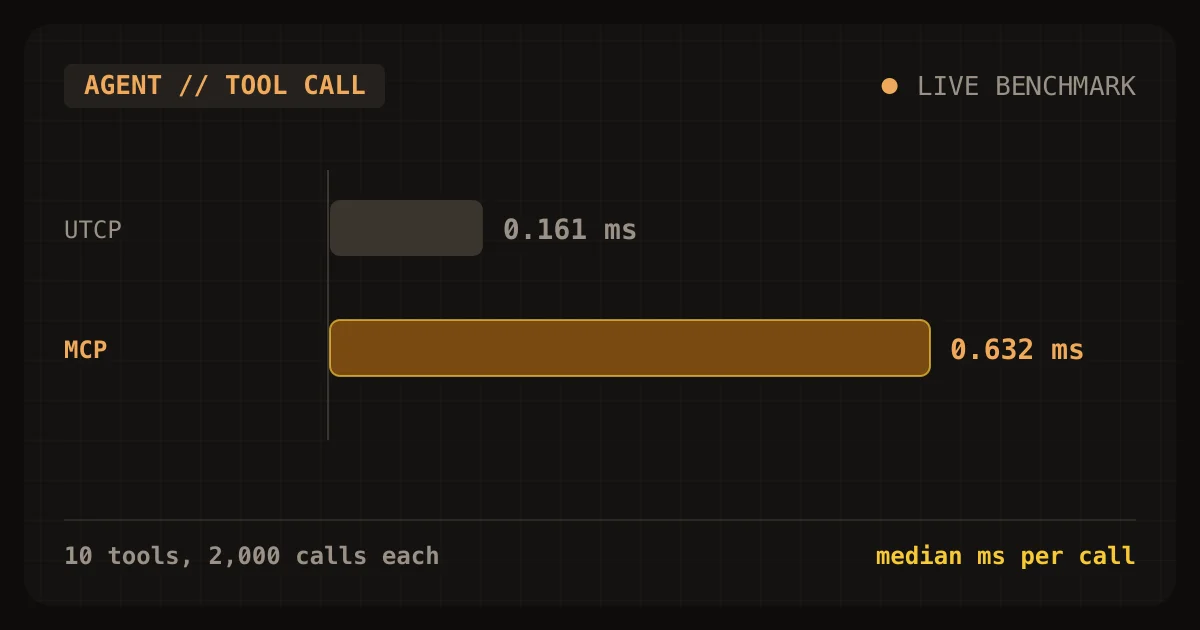
MCP vs UTCP: we timed both on the same 10 tools
On identical tools, a UTCP call took 0.161 ms and an MCP call 0.632 ms. Tool definition size was nearly the same. Here is how to choose.
Wed Nov 04 2026 · 10 min read · 1 views
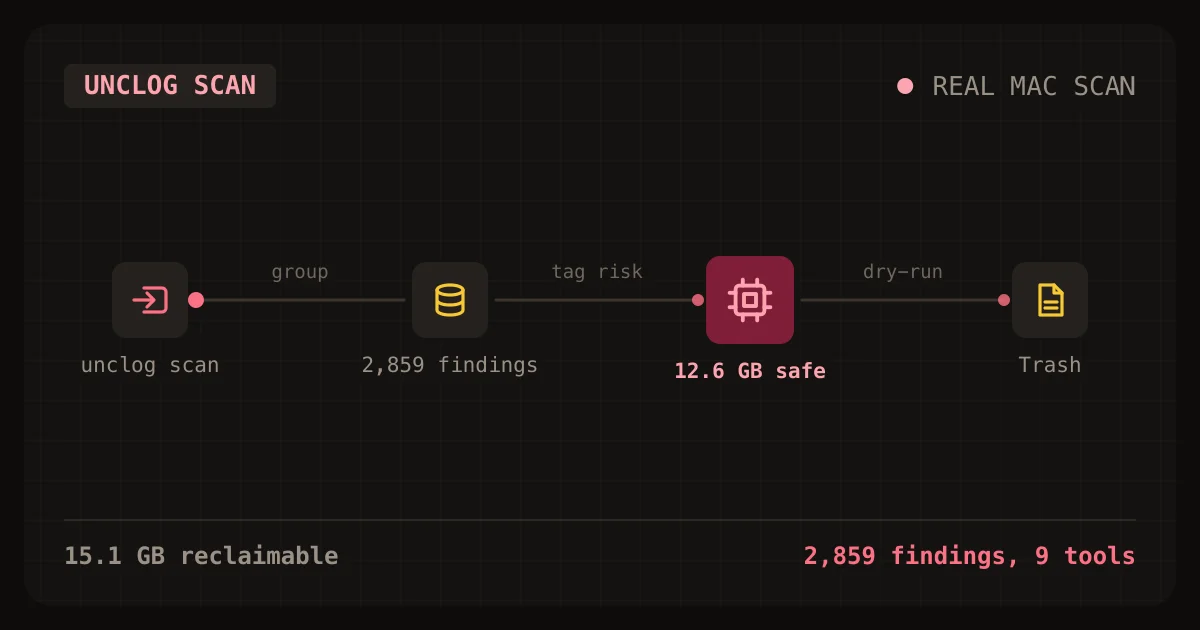
AI coding tools hid 15 GB on my Mac. unclog found it
unclog is a free CLI that finds the caches, logs and orphaned processes AI coding tools leave behind. Here is how to install and use it.
Wed Oct 28 2026 · 11 min read · 3 views
Laravel's RateLimited job middleware failed 240 of 300 jobs
Laravel's RateLimited job middleware protected a small tenant from a noisy one, and it also failed 240 of the noisy tenant's 300 jobs. In my lab, a limit of 20 jobs per second kept the small tenant's
Sat Oct 24 2026 · 9 min read · 1 views