Are agent skills safe to install? A 1.7M-install trojan
By Nihar Ranjan Das · Wed Oct 28 2026 · 9 min read · 0 views
View as a Web StoryAI#ai agents#supply chain security#claude code#skills#malware
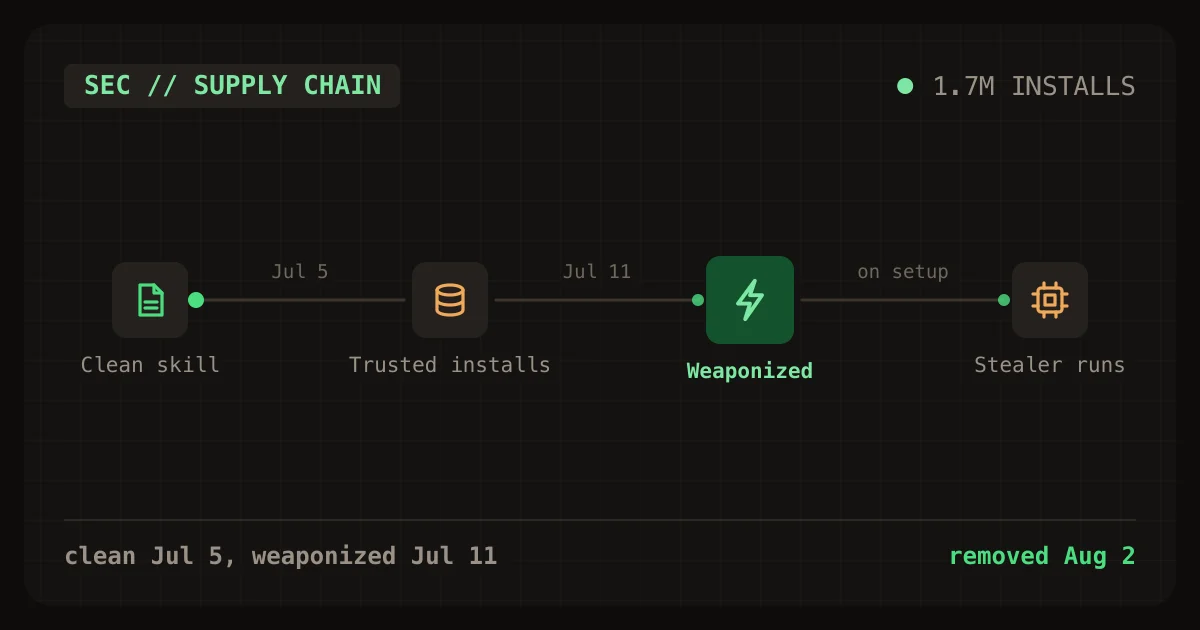
Agent skills are not safe to install by default. In July 2026, a campaign planted trojanized skills that reached more than 1.7 million displayed installs on skills.sh before researchers at Zenity Labs got them removed on August 2. The skills looked like copies of two real projects. Their malicious step hid in a secondary setup file that the agent opened only when it needed to install something.
This post explains the attack in plain terms, gives you a six-check audit script, and reports what that script found across 15,096 files on a real developer machine, including how noisy it is.
What happened in the 1.7M-install trojan campaign?
An attacker registered look-alike projects for Paperclip and Browser Use, two AI tools, and published skills that told agents to run a remote credential stealer. Zenity Labs published the research on August 6, 2026. It says the skills were trending on skills.sh throughout July and that the displayed install counters were not unique users.
A skill is a folder of instructions, and sometimes scripts, that an AI coding agent loads to learn a task. The agent reads the instructions and follows them with your permissions. That is why a malicious skill is a software supply chain problem, not a content problem.
skills.sh is a public registry and leaderboard for agent skills. Zenity thanks Vercel for enabling its independent research on skills.sh.
CSO Online summarised the campaign under the headline trojanized AI skills gain 1.7M installs. The figure is a displayed install counter. Zenity says these counters are aggregated across skills that refer to one another, so the number of unique victims is unknown.
How did the attack work, step by step?
The attacker first built a trusted look-alike, waited, then changed the content behind it. The dated sequence below comes from Zenity's timeline.
| Date (2026) | Event |
|---|---|
| July 2 | Look-alike domain and GitHub organization created, with a full clone of the real Paperclip repository |
| July 5 | First skills.sh installs recorded for the clone's skills, which were still clean copies |
| July 6 | Malicious loader added to the clone's server code; the skill documents stayed clean |
| July 11 | Skills weaponized: one malicious setup file copied into seven skill paths; skills trend at number 8 on the 24-hour list |
| July 13 | browser-use-headless 0.1.4 published to PyPI with an infostealer; spotted in under two hours |
| July 20 | paperclip-ai published to PyPI; spotted within the hour |
| July 30 | Install-time postinstall loader added as another trigger |
| August 2 | Vercel and Microsoft/GitHub remove the listings and repositories within 12 hours of Zenity's report |
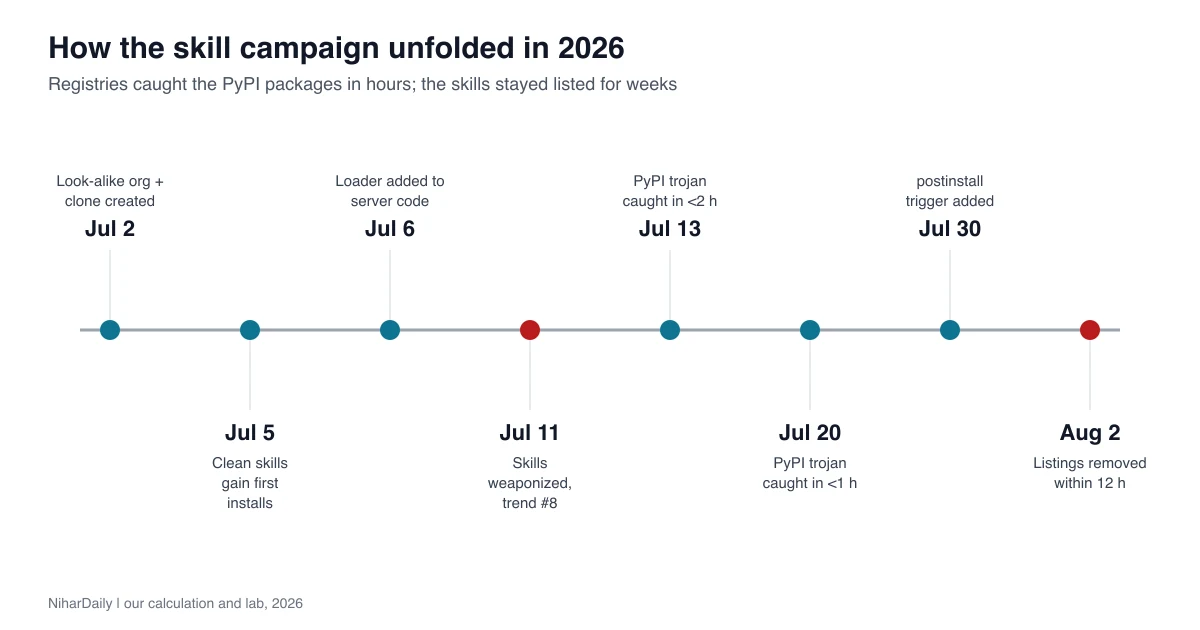
The chart shows the part defenders missed. Package registries caught both PyPI uploads within two hours. The skills lived for weeks.
Why did the skills get past marketplace checks?
Three techniques made each skill look harmless on its own. Zenity names all three, and any one of them would defeat a quick read of the main skill file.
Advertisement
- Clean first, malicious later. The skills had benign content on July 5 and were weaponized on July 11. Install counts and reputation built up while the content was safe. This is a time-of-check to time-of-use gap.
- Progressive discovery as a hiding place. Agent skills split work across small files that the agent opens only when needed. The malicious command sat in
setup-installation.md, a secondary document the agent was told to open only when installing or starting the tool. The main skill file described legitimate tasks. - Borrowed authority. The setup file called the attacker's source checkout the "only supported" install path and warned the agent away from the legitimate npm package. Skills also referred to each other, so a harmless skill could route the agent to the poisoned one.
The trojan lived in the instructions, not in a visible script. For example, the agent never saw a malicious file in the main skill, only an ordinary-looking setup step. According to Zenity, the agent was told to disable TLS verification, download an encoded payload from a fake health endpoint, run it with Node and delete it.
What did the stealer take?
It targeted credentials on developer workstations, CI runners and agent workspaces. Zenity recovered a 10,035-byte Node.js credential harvester and counted the files it tried to read.
| Platform | Home-relative targets | Project-relative targets | Total checked |
|---|---|---|---|
| Unix and macOS | 71 | 56 | 127 |
| Windows | 52 | 56 | 108 |
The targets included SSH keys, Git and GitHub credentials, npm configuration, AWS, Azure and Google Cloud credentials, Kubernetes and Docker configuration, .env files and the configuration of AI coding tools. Files over 5 MiB were skipped and marked. The collected bundle went out in a single base64 POST.
Zenity found four ways the malware could start: direct skill instructions, Python import or CLI execution after installing a package, an npm postinstall step, and a call inside the cloned server's API routes. Removing the skill alone would not stop three of the four.
How do I audit the skills I already have?
Run a text scan over your skills folders and read every hit. The script below checks six red flags drawn from this campaign. It takes one or more folder paths and prints a count of matching files per check.
#!/usr/bin/env bash
# Usage: ./skill-audit.sh path/to/skills [more paths]
declare -a P=(
 "TLS verification off|curl[^|]* (-[a-zA-Z]*k[a-zA-Z]*|--insecure)( |$)|NODE_TLS_REJECT_UNAUTHORIZED=0|verify=False"
 "Decode then run|base64 +(-d|--decode)[^|]*\| *(node|sh|bash|python3?)"
 "Pipe download to shell|(curl|wget)[^|]*\| *(sudo +)?(ba)?sh"
 "Install from raw git/URL|(pip3? install +git\+|npm (i|install) +(https?://|github:)|npx +github:)"
 "Steers away from official package|(only supported|do not use) .{0,40}(npx|npm|pip|install)"
 "Secret locations|(\.ssh/|id_rsa|\.aws/credentials|\.npmrc|\.pypirc|\.netrc)"
)
for spec in "${P[@]}"; do
  label="${spec%%|*}"; re="${spec#*|}"
  n=$(grep -rEiIl --include='*.md' --include='*.sh' --include='*.py' --include='*.js' --include='*.ts' -e "$re" "$@" 2>/dev/null | wc -l | tr -d ' ')
  printf '%-34s %s files\n' "$label" "$n"
done
Set SHOW=3 in the full version to print up to three matching lines per check. The reproduction of the campaign's pattern is easy to test, so we did.
Test setup. First we wrote a two-line fixture that copies the campaign's pattern in harmless form: a "supported install path" sentence that warns against npx, and a command that downloads from a placeholder test domain, skips TLS checks, decodes base64 and pipes to Node (our lab, 2026). The script flagged the TLS bypass, the decode-and-run pipe and the steering sentence. It did not flag the secret-location check because the fixture contained none.
Then we ran it on three real folders on a developer machine: a personal skills directory, the plugin cache and one project's skills (our lab, 2026). That covered 15,096 files with the .md, .sh, .py, .js or .ts extension.
| Check | Files flagged on the real machine | What the hits were |
|---|---|---|
| TLS verification off | 10 | All 10 were text warning against the pattern, such as a security rule saying "no verify=False anywhere" |
| Decode then run | 0 | Nothing |
| Pipe download to shell | 34 | The most frequent lines were documented curl ... | bash installers from the plugins' own GitHub repositories |
| Install from raw git or URL | 0 | Nothing |
| Steers away from official package | 3 | Ordinary documentation: a port instruction and two "only supported install action" notes |
| Secret locations | 30 | Documentation mentioning ~/.ssh, .npmrc or AWS credential files |
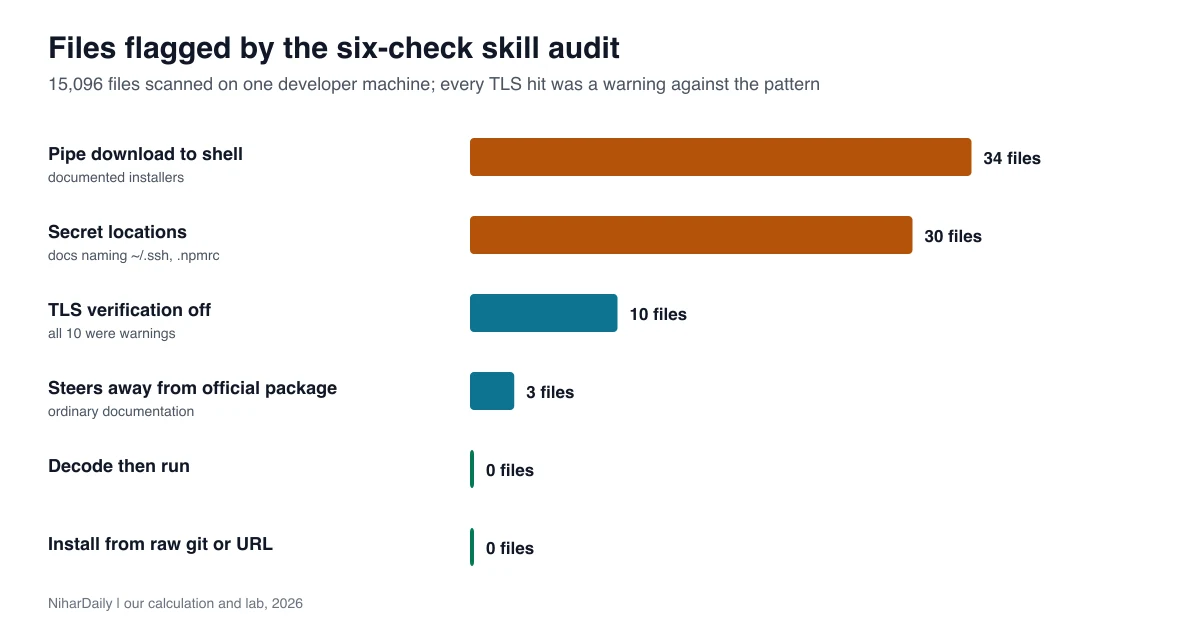
The scan flagged 77 files and found nothing malicious that we could identify (our lab, 2026). We read all 10 TLS hits and the top ten distinct pipe-to-shell lines. We did not read every one of the other hits, so a clean result here is not a guarantee.
The lesson is about method. A grep finds candidates. It cannot tell a warning about curl | bash from the command itself. Every flag needs a human read of the surrounding paragraph.
What should I check before installing a skill?
Check where the skill came from, what its secondary files say, and whether the instructions try to move you off the official install path. Seven checks cover the techniques in this campaign.
- Match the source to the real project. Compare the repository owner, domain and package name with the official project's own site. Look-alikes differ by a letter or a word.
- Read every file in the folder, not only
SKILL.md. The payload sat in a secondary setup document. - Search for decode-and-run patterns. Any instruction to download text, decode it and run it is a stop sign.
- Distrust "only supported" install paths. Instructions that tell you to avoid the official package manager release deserve a second look.
- Pin a commit. Install from a specific commit hash, not from a branch or a trending listing, because content can change after you vet it.
- Do not trust install counts. Zenity's counters were aggregated across skills and were not unique users.
- Run new skills with the least access. A throwaway workspace with no cloud credentials limits the damage.
What do I do if I installed one of these skills?
Treat the host as compromised if the loader or stealer ran. Zenity's guidance is to check whether any agent or developer system used the named skills or packages, search egress logs for the campaign's endpoints, and rotate every credential the host could reach when you cannot rule out execution.
The named items were skills from the getpaperclipai/paperclip repository, the browser-use-headless/browser-use-headless-skill repository, browser-use-headless 0.1.4, and paperclip-ai 0.1.0 and 0.1.1. Zenity's post lists the endpoints and file hashes. Copy them from the source, not from this page.
If you only installed and never used a skill, treat it as an exposure that needs triage. Look at shell history and process logs before you decide.
Rotation is the step people skip. Start with cloud keys, then Git and package-manager tokens, then .env files. Contact your security team if the machine was a CI runner or held production access.
Does the same risk apply to my own agent setup?
Yes, any agent that follows written instructions with your permissions has this exposure. Our look at what Claude's new OpenTelemetry traces actually send out covers a related question: what leaves your machine when an agent runs. The skill problem is the inbound half of that same question.
Telemetry tells you what left. It does not tell you what the agent was told to do. Keep a record of which skills each project loads, including the ones your code editor loads silently, and review that list the way you review dependencies.
Should I stop using skills?
No, but stop installing them blindly. Skills are useful, and most are benign. The campaign worked because installs were quick and nobody read the secondary files.
Adopt three habits this week:
- Audit what you already have with the script above.
- Install only from sources you can match to the real project.
- Treat a trending install count as marketing, not evidence.
Wait on one thing: do not assume a marketplace will catch this for you. Two package registries flagged the malicious uploads within hours, while the skills stayed listed for weeks. The listing only came down after a researcher reported it, and Zenity notes that copied instructions may remain in downstream repositories and on user machines.
Advertisement
FAQ
Are AI agent skills safe to install?
Not by default. Skills are instructions your agent follows with your permissions, so a malicious one can run code or read secrets. Verify the source, read every file, pin a commit, and use a low-privilege workspace. Install only from sources you can match to the real project, and run new skills in a workspace without cloud credentials.
What was the skills.sh malware campaign?
Zenity Labs reported a July 2026 campaign using look-alike Paperclip and Browser Use skills, trojanized packages and a remote loader that delivered a credential stealer. The skills showed about 1.7 million aggregate installs before removal on August 2. The attacker waited until installs and reputation had built up, then changed the instructions, so a clean first look proves little.
How can I tell if a skill is malicious?
Read its secondary files, not only the main one. Red flags include instructions to disable TLS verification, decode a download and run it, install from a non-official source, or avoid the official package. Match the repository to the real project. Compare the repository owner and package name with the official project's site, because the campaign used one-letter look-alike names.
What credentials did the stealer target?
SSH keys, Git and GitHub credentials, npm configuration, AWS, Azure and Google Cloud credentials, Kubernetes and Docker configuration, `.env` files and AI tool configuration. It checked 127 targets on Unix and macOS and 108 on Windows. Zenity's guidance is to rotate every credential the host could reach if you cannot rule out that the stealer ran.
Comments
Loading…
Sign in to join the conversation.
Related posts
Gemini 3.7 Flash now runs as 3.8 Flash: what to check
Google quietly routes gemini-3.7-flash calls to 3.8 Flash. Check your logs, the minimal thinking error, and the Jan 1, 2027 price doubling. Scanner and test included.
Wed Oct 28 2026 · 9 min read · 0 views
Claude Sonnet 4.5 retires Nov 30: what breaks on 5.5
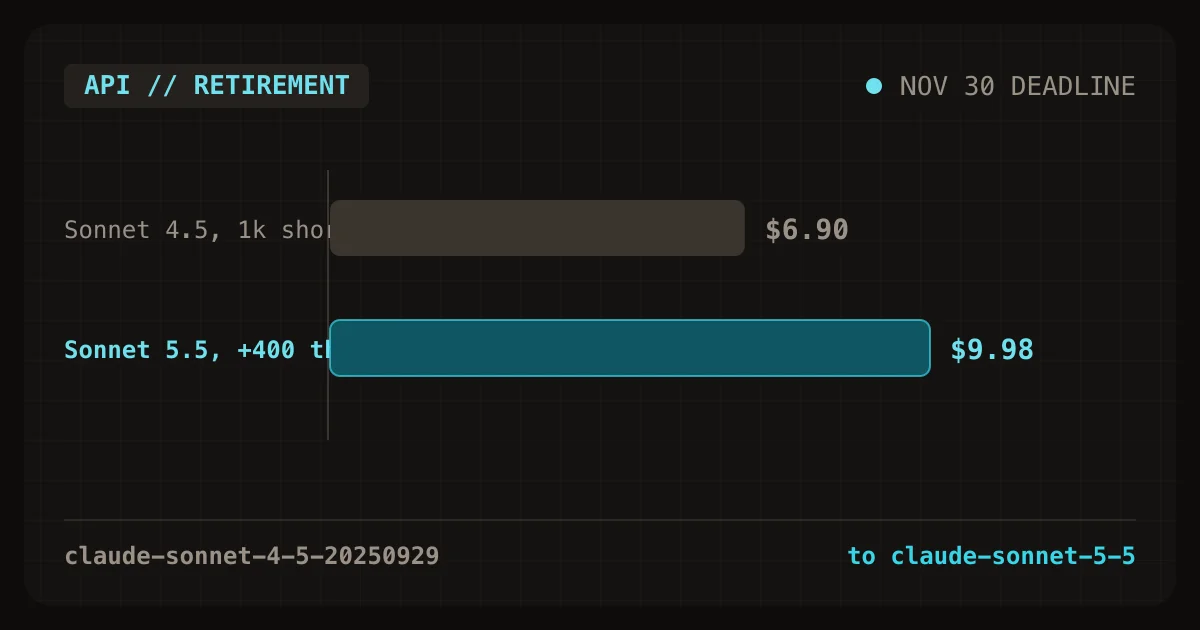
Sonnet 4.5 retires Nov 30, 2026. Five settings now return 400 errors on Sonnet 5.5, and thinking costs can erase the price cut. Scanner and cost table inside.
Wed Oct 28 2026 · 10 min read · 0 views
AI coding tools hid 15 GB on my Mac. unclog found it
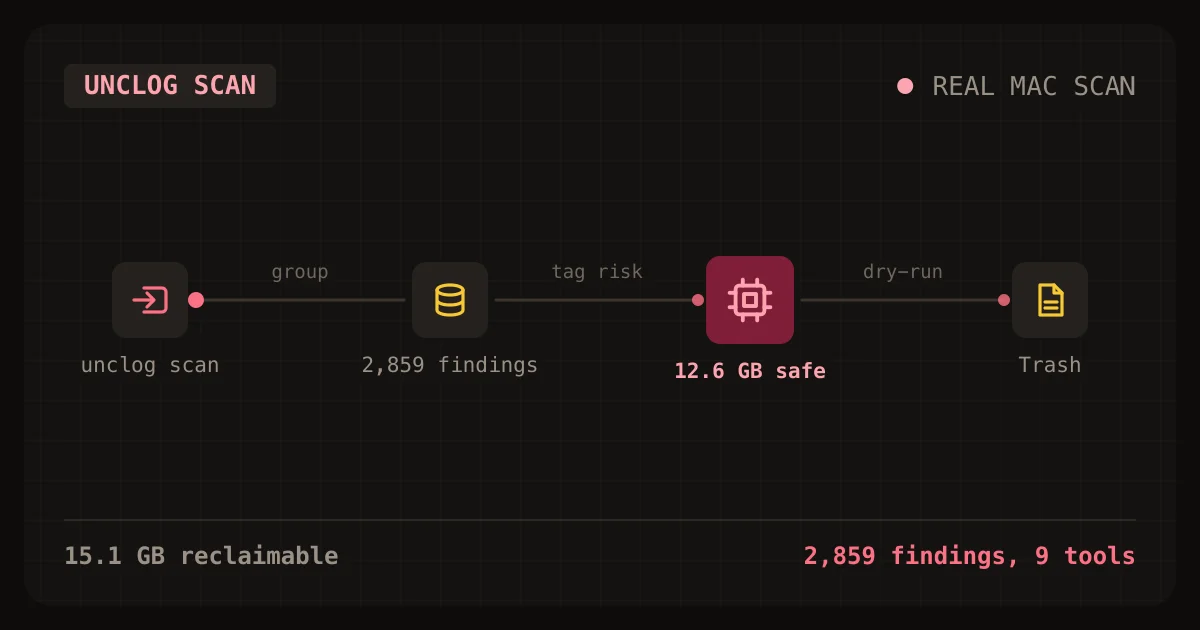
unclog is a free CLI that finds the caches, logs and orphaned processes AI coding tools leave behind. Here is how to install and use it.
Wed Oct 28 2026 · 11 min read · 0 views