Cashier upgrades bill late and can lock customers out
By Nihar Ranjan Das · Sat Oct 24 2026 · 9 min read · 0 views
View as a Web StorySoftware#stripe#Laravel#cashier#proration#subscriptions#billing
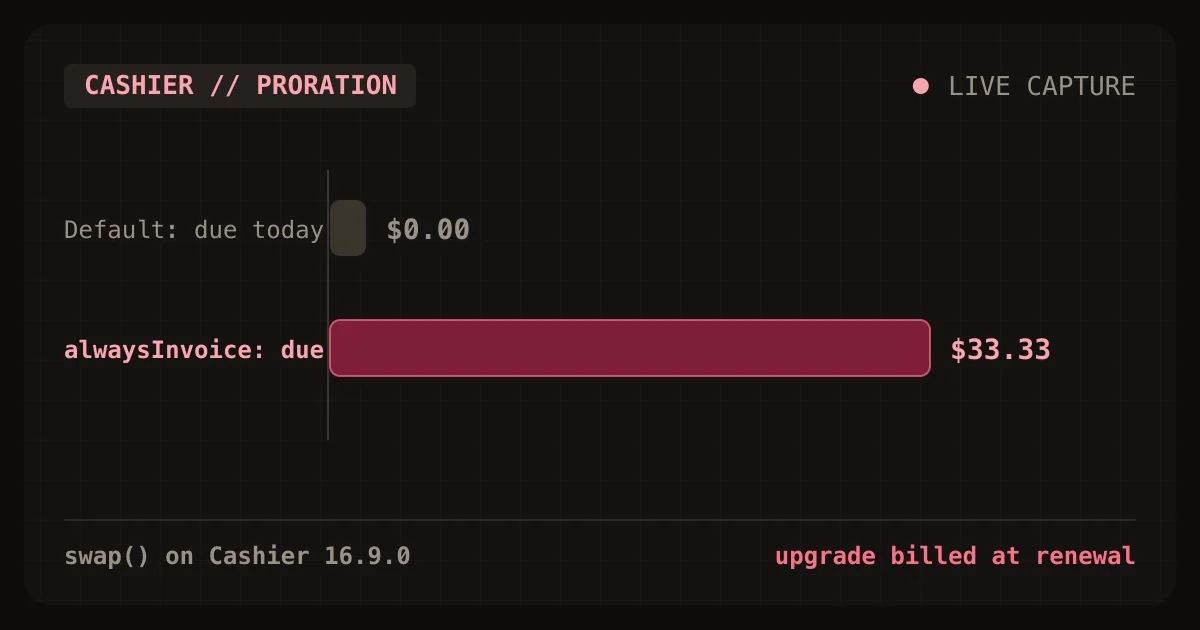
Laravel Cashier's default swap() and updateQuantity() calls do not charge a customer for an upgrade today. They send proration_behavior=create_prorations, so Stripe adds the charge to the next renewal invoice. If an upgrade payment does fail, Cashier has already saved the new plan locally and valid() returns false. A failed card can lock customers out of a plan they already paid for.
I measured both defaults against Cashier 16.9.0. The fix is two calls on upgrades: alwaysInvoice() to charge now and errorIfPaymentFails() to leave the old plan untouched when the card is declined. This post shows the exact payloads, the proration math, and the failure states. It is the fourth post in a series on billing and tenant isolation for a solo Laravel and PostgreSQL SaaS.
What is proration in a Stripe subscription?
Proration is the adjustment Stripe makes when a subscription changes in the middle of a billing period. Stripe credits the unused time on the old price and debits the remaining time on the new price. The Stripe docs on prorations states that Stripe calculates prorations down to the second by default.
The docs give a simple example. A customer upgrades from a 10 USD monthly plan to a 20 USD plan halfway through the period. The unused half of the old plan is a credit of 5 USD, and the remaining half of the new plan is a debit of 10 USD, so the customer owes 5 USD more.
Developers are not surprised by the math. It is when the 5 USD is collected. That depends on the proration_behavior parameter, which Cashier sets for you.
How I tested Cashier's plan changes
The methodology was a scripted lab. I pointed Cashier 16.9.0 at a fake Stripe server that records every request, then called each plan-change method on a local subscription row in PostgreSQL 18.1. The payloads below are exactly what Cashier sent. The fake server also returned a past_due subscription and a declined payment intent, so I could watch how Cashier handles a failed upgrade.
Two limits apply. The proration amounts in this post come from the documented to-the-second formula, computed in a script, not from a real Stripe invoice. Stripe's invoice is always the authority, and a cent of rounding may differ. I also did not run live Stripe test clocks. I checked the Stripe parameter rules against the docs on October 24, 2026.
What does Cashier send for each plan change?
Cashier sends proration_behavior=create_prorations and payment_behavior=default_incomplete unless you change them. The table lists the parameters Cashier sent for each call.
| Cashier call | proration_behavior | payment_behavior |
|---|---|---|
updateQuantity(8) |
create_prorations | default_incomplete |
noProrate()->updateQuantity(8) |
none | default_incomplete |
alwaysInvoice()->updateQuantity(8) |
always_invoice | default_incomplete |
swap('price_pro') |
create_prorations | default_incomplete |
noProrate()->swap('price_pro') |
none | default_incomplete |
swapAndInvoice('price_pro') |
always_invoice | default_incomplete |
skipTrial()->swap('price_pro') |
create_prorations | default_incomplete |
Every swap() also sent trial_end=now and cancel_at_period_end=false, even for a subscription that was not on a trial. The Stripe docs say the value now ends a trial right away and moves the billing cycle anchor to that time. They do not say what it does on a subscription with no trial, so test that case in a sandbox before you rely on it.
When does the customer actually pay for an upgrade?
With the default create_prorations, the customer pays at the next renewal, not at the moment of the upgrade. The Stripe docs say that with create_prorations the prorations are created but not invoiced on their own, and that positive prorations are not billed right away. Only always_invoice generates an invoice right away.
Advertisement
Here is what that means for a $29 plan upgraded to a $79 plan on day 10 of a 30-day period.
| Scenario | Credit | Debit | Net due |
|---|---|---|---|
| Upgrade $29 to $79, day 10 of 30 | -$19.33 | $52.67 | $33.33 |
| Upgrade $29 to $79, day 29 of 30 | -$0.97 | $2.63 | $1.67 |
| Downgrade $79 to $29, day 25 of 30 | -$13.17 | $4.83 | -$8.33 |
| Add 3 seats at $12 each, day 20 of 30 | $0.00 | $12.00 | $12.00 |
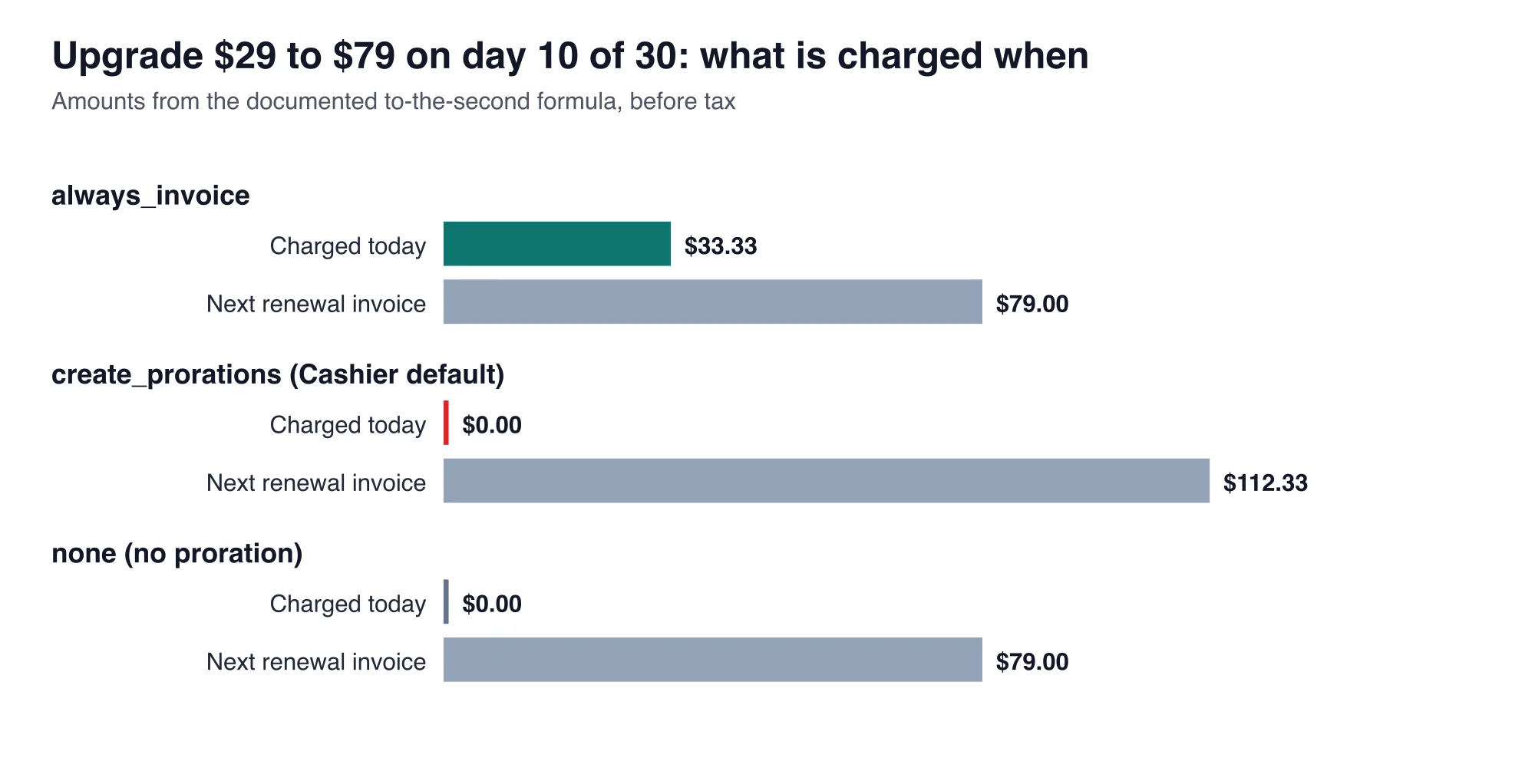
The bottom line is a cash-flow gap. The customer has the $79 plan for 20 days before paying the $33.33, and the renewal invoice is $112.33 instead of $79.00. A downgrade works the same way in reverse. The $8.33 credit is not refunded. It reduces the next invoice.
Neither default is a bug. Both suit a product that settles on the renewal date. These defaults make upgrades bill late. They are a problem if you promise "pay as you upgrade," if you sell a high-value plan for a short burst, or if customers cancel before the renewal ever arrives. A customer who upgrades and cancels the same week may never pay the proration.
What happens when the upgrade payment fails?
When you charge right away and the card is declined, Cashier's default leaves the customer with the new plan on paper and no access in practice. I ran alwaysInvoice()->swap('price_pro') against a fake Stripe that returned a past-due subscription and a declined payment intent. Cashier threw Laravel\Cashier\Exceptions\IncompletePayment. The local row had already been updated.
| Configuration | Exception | Local plan | Local status | valid() |
|---|---|---|---|---|
| Default | IncompletePayment | price_pro | past_due | false |
keepPastDueSubscriptionsActive() |
IncompletePayment | price_pro | past_due | true |
errorIfPaymentFails() |
CardException | price_basic | active | true |
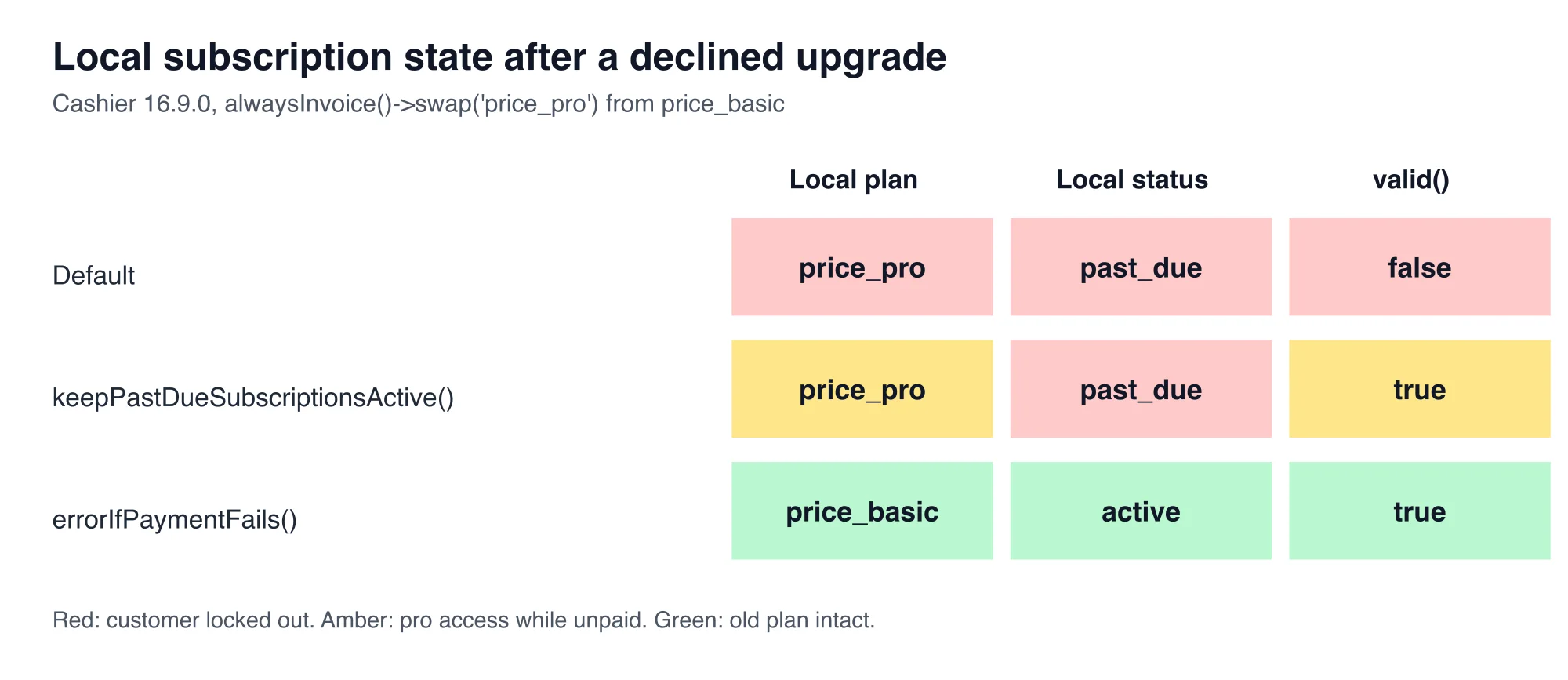
The default row is the lockout. The customer asked for an upgrade, the card failed, and a customer who paid last month can no longer pass a subscribed() check. Stripe documents this behavior: the upgrade and downgrade guide says that when immediate billing fails, the change request succeeds and the subscription moves to past_due.
Turning on Cashier::keepPastDueSubscriptionsActive() removes the lockout, but it creates the opposite problem. The customer now has the pro plan, unpaid, with full access. The third row is the clean answer. With error_if_incomplete, the Stripe API reference for updating a subscription says Stripe returns a 402 and does not apply the update. Cashier surfaces that as a CardException, and the local row stays on the old plan.
What does payment behavior control?
Payment behavior is the Stripe parameter that decides what happens to a subscription update when the payment it needs does not succeed. Cashier exposes four modes as methods. Each one sets a different payment_behavior value, which I confirmed by capturing the requests.
| Cashier method | Value sent | What Stripe does when payment fails |
|---|---|---|
Default (defaultIncomplete()) |
default_incomplete | Moves to past_due and waits for you to confirm the payment intent |
allowPaymentFailures() |
allow_incomplete | Moves to past_due and retries per your retry settings |
pendingIfPaymentFails() |
pending_if_incomplete | Holds a pending update that applies only if payment later succeeds |
errorIfPaymentFails() |
error_if_incomplete | Returns a 402 and leaves the subscription unchanged |
These descriptions follow the Stripe API reference for updating a subscription. The pending mode does not support every attribute or payment method, so check it against your prices before you adopt it. For most indie products, the error mode is the simplest because the failure is immediate and the customer stays on a working plan.
Which settings should you use for each change?
Use alwaysInvoice() with errorIfPaymentFails() for upgrades, and leave downgrades on the defaults. The rules below follow from the measured payloads.
| Change | Cashier call | Why |
|---|---|---|
| Upgrade or add seats | alwaysInvoice()->errorIfPaymentFails()->swap(...) |
Charges now, and a declined card leaves the old plan active |
| Downgrade | swap(...) with the defaults |
Credit lands on the next invoice, and no payment is needed |
| Downgrade with a refund promise | Issue the credit or refund yourself | Stripe does not refund negative prorations on its own |
| Seat increase billed at renewal only | noProrate()->updateQuantity(...) |
Customers pay the full new price at the next invoice |
The upgrade code is short:
try {
    $user->subscription('default')
        ->alwaysInvoice()
        ->errorIfPaymentFails()
        ->swap('price_pro');
} catch (\Stripe\Exception\CardException $e) {
    return back()->withErrors(['card' => $e->getMessage()]);
}
Show the customer the amount before they confirm. Stripe can preview an upcoming invoice with the proration included, so the charge is never a surprise.
How does this interact with webhooks?
Cashier writes the new plan to your database in the same request that calls Stripe, and Stripe's webhooks arrive afterward. Both write the same row. A late customer.subscription.updated event can therefore overwrite a change you just made, which is the ordering problem from the earlier post on webhook inboxes and stale events.
Keep the stored created timestamp guard from that post on the subscriptions table. It stops a delayed event from reverting a plan change that Cashier already saved. The inbox table from the same post stops a retried invoice.payment_succeeded event from crediting an upgrade twice.
How do you test plan changes with Stripe test clocks?
A Stripe test clock is a sandbox object that simulates billing over time. The test clock docs describes them as simulations of Billing objects, such as subscriptions, over time in a sandbox. Use one to move a subscription to day 10 of its period, run your upgrade, and read the invoice that Stripe really produces.
A useful test script has five steps.
- Create a test clock and a customer attached to it, with the card
4242 4242 4242 4242. - Subscribe the customer to the $29 price and advance the clock 10 days.
- Run your upgrade code and read the latest invoice. It should be $33.33 plus tax, within a cent.
- Repeat with the decline test card
4000 0000 0000 0341, which attaches successfully and then fails on payment. - Assert that the local plan is still the old one and that
valid()is true.
I did not run these steps, because this lab had no Stripe key. The proration table above is therefore the formula's answer. Step 3 is how you confirm that Stripe agrees to the cent.
Should you change Cashier's defaults?
Change the upgrade path, and leave the rest. The defaults suit renewal-based billing. They fail for products that promise immediate payment and immediate access, and they fail badly on a declined card.
The measurements here come from Cashier 16.9.0 and a fake Stripe server, so rerun the capture script after upgrading Cashier. The default parameters are set in two small traits, and a future release could change them. The failure states follow from how Cashier saves local state before it checks the payment, which is stable behavior worth a test that guards against a regression.
Advertisement
FAQ
Does Laravel Cashier charge right away when a customer upgrades?
No, not by default. Cashier sends `proration_behavior=create_prorations`, so Stripe adds the prorated charge to the next renewal invoice instead of billing now. Call `alwaysInvoice()` before `swap()` or `updateQuantity()` to generate an invoice and charge right away.
Why is my Cashier subscription past due after an upgrade failed?
Stripe applies the plan change even when the immediate payment fails, then marks the subscription `past_due`. Cashier saves that state and treats past-due subscriptions as inactive by default. Use `errorIfPaymentFails()` so Stripe rejects the change and the old plan stays active.
What does errorIfPaymentFails do in Cashier?
It sets `payment_behavior=error_if_incomplete` on the Stripe request. If the payment fails, Stripe returns a 402 and does not update the subscription. In the lab, Cashier threw a `CardException` and left the local plan, status, and `valid()` result unchanged.
Does Stripe refund the credit when a customer downgrades?
Not on its own. With the default `create_prorations`, Stripe records the credit and applies it to the next invoice. The prorations docs say negative prorations are not refunded on their own. Refund the amount manually if your terms promise one.
How do I preview the proration amount before an upgrade?
Ask Stripe for the upcoming invoice with the new price and the same proration date before you confirm the change. Show that amount to the customer. A script-computed estimate, such as the to-the-second formula, is close but not authoritative, so rely on Stripe's number.
Comments
Loading…
Sign in to join the conversation.
Related posts
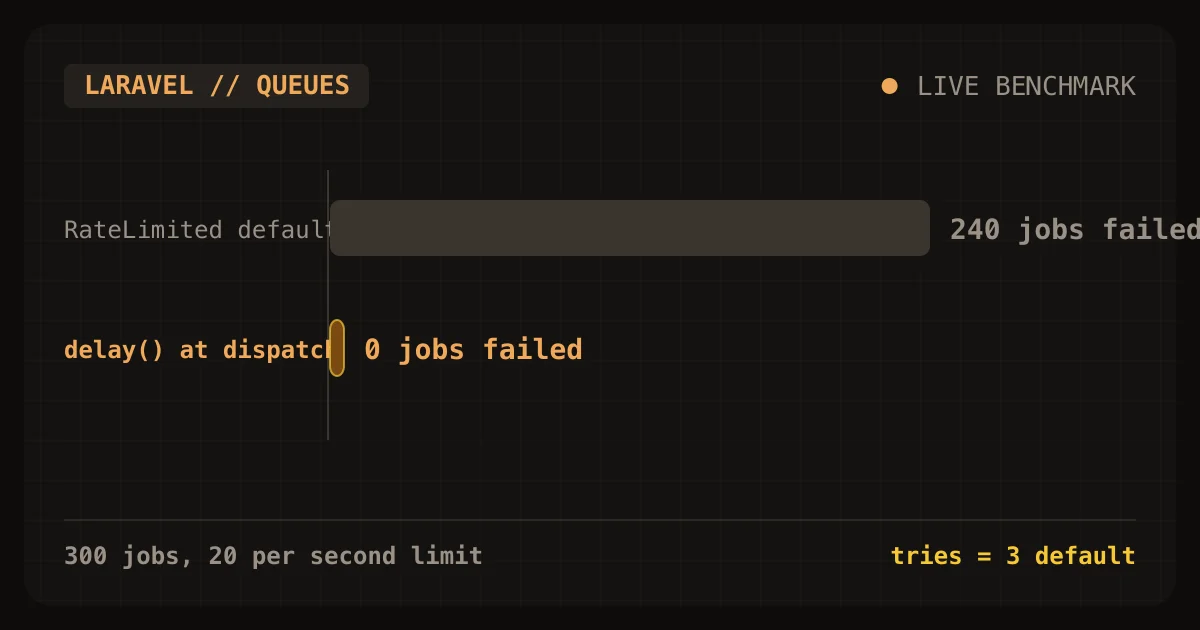
Laravel's RateLimited job middleware failed 240 of 300 jobs
Laravel's RateLimited job middleware protected a small tenant from a noisy one, and it also failed 240 of the noisy tenant's 300 jobs. In my lab, a limit of 20 jobs per second kept the small tenant's
Sat Oct 24 2026 · 9 min read · 0 views
Cashier locks customers out on day 0 of the retry window
Laravel Cashier locks customers out on day 0 of Stripe's retry window. The first failed renewal moves a subscription to pastdue, and Cashier's valid() returns false from that moment. Stripe's
Sat Oct 24 2026 · 9 min read · 0 views
Seat vs usage vs flat pricing for a Laravel SaaS, modeled
For a solo Laravel SaaS where customers differ a lot in how much they use, a hybrid plan is the safest default: a base fee that includes some usage, then a metered rate above it. In a 1,000-customer
Sat Oct 24 2026 · 9 min read · 0 views